See rest time from the Lock Screen
The active countdown can remain available through an iPhone Live Activity while you use another app or lock your device.
 LiftBook
Gym rest timer app for iPhone
LiftBook keeps an adjustable rest countdown inside your strength workout, with optional alerts and a Live Activity when you leave the app.
Part of the workout
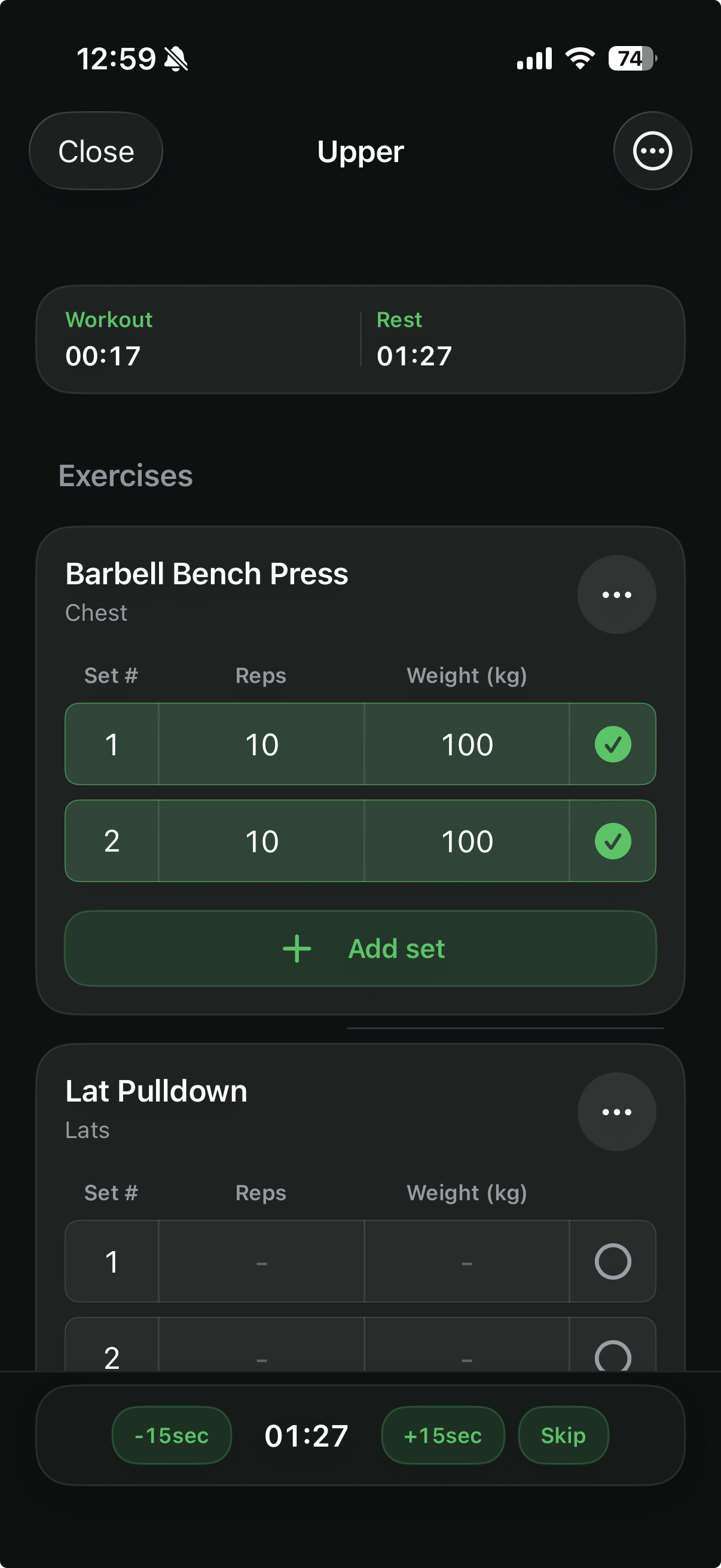
A separate stopwatch makes you manage two tools during every session. LiftBook attaches the countdown to the workout and starts the configured rest period when you complete a set.
Set the duration new rest timers should use from Workout Preferences.
Give an exercise its own rest duration when it needs more or less recovery.
Mark a set complete and keep the active countdown visible with your workout.
Add or subtract 15 seconds, or skip the timer when you are ready to continue.
Stay aware
The active countdown can remain available through an iPhone Live Activity while you use another app or lock your device.
Live Activity controls let you add time, subtract time, or skip the current rest period.
If you enable notification permission, iOS can alert you locally when the rest timer ends.
The timer stays associated with the workout instead of becoming an unrelated countdown.
More than a stopwatch
LiftBook combines its rest timer with routines, reps and weight entry, completed sets, and workout history saved on this device.
Questions
Yes. Workout Preferences lets you choose the default duration used by new rest timers.
Yes. An exercise in the active workout can override the default rest duration.
Yes. You can add 15 seconds, subtract 15 seconds, or skip the current timer.
Optional local notifications can alert you when rest ends, and the countdown can appear as an iPhone Live Activity when supported and enabled.
Ready for the next set?
Download LiftBook for iPhone and keep your sets, recovery time, and workout history in one focused place.